How to translate a Figma website into several languages
Translate a Figma website with one variable mode per language: visitors get their language, and each one gets its own URL with hreflang.
Last updated
Localization uses several variable modes, available on Figma’s Professional plan and above: see Figma’s pricing.
Create a mode for every language
Create a variable collection in which every mode is a language.
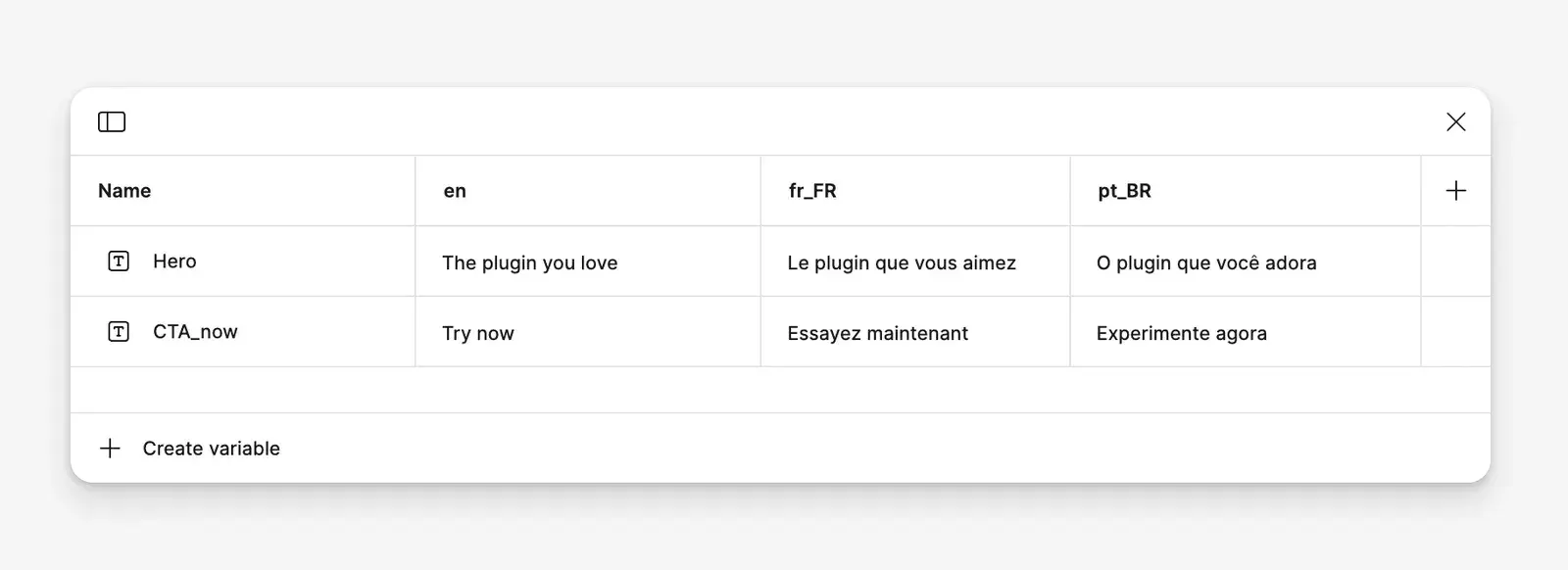
- Name each mode with a language tag as defined in RFC 5646, also known as BCP 47:
en,fr,fr-FR,pt-BR… - Separate the parts of a tag with a hyphen, not an underscore:
fr_FRisn’t a valid tag, so a collection with such a mode isn’t treated as languages. The screenshots on this page showfr_FRandpt_BR: name those modesfr-FRandpt-BR. - Variables aren’t limited to text: images, sizes or colors can change per language too.
Design with the variables
Use the variables in your design. The mode selected on the canvas is the site’s default language.
Visitors get their language automatically
figma.to.website shows each visitor the mode matching their browser’s language settings, so they read the site in their preferred language.
Add a language switcher
Visitors can also pick the language themselves, with a switcher built from prototype interactions: give each option an On click → Set variable mode interaction.
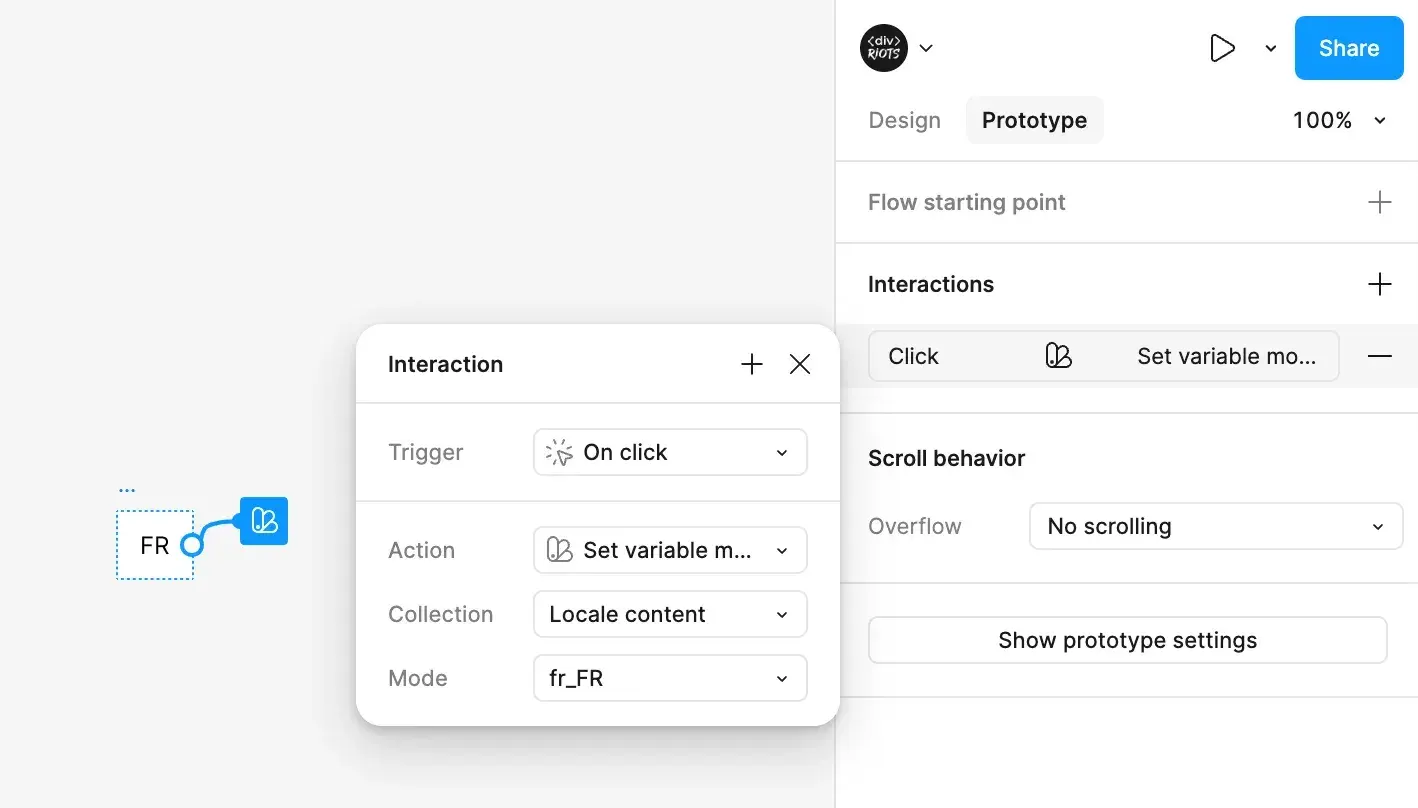
When Set variable mode targets a language collection, the visitor’s choice is saved in their browser, and they get that language on every later visit. A collection counts as a language collection when every one of its modes is an RFC 5646 language tag.
Multilingual SEO
Each page is published once per language: the default language at the page’s URL, and every other language under its mode name. With the modes en (default), fr-FR and pt-BR, the home page is published at:
https://your-domain/https://your-domain/fr-FR/https://your-domain/pt-BR/
and a page /contact-us at:
https://your-domain/contact-us/https://your-domain/fr-FR/contact-us/https://your-domain/pt-BR/contact-us/
Every version carries the right canonical URL, lang and hreflang information, so search engines index each language properly.