How to show different content per device
Show a different component variant on touch or mouse, portrait or landscape, screen or print: name a variant property @media with a media query.
Last updated
figma.to.website can change your site’s content based on the visitor’s device, using Figma component variants. A variant can target:
- the input: mouse or touch;
- the screen orientation: portrait or landscape;
- whether the device can hover;
- the output: screen or print;
- and many other combinations.
Add an @media variant property
Create a component with a variant property named @media. Each variant’s value is a CSS media query; on the published site, the variant whose query matches the device is shown.
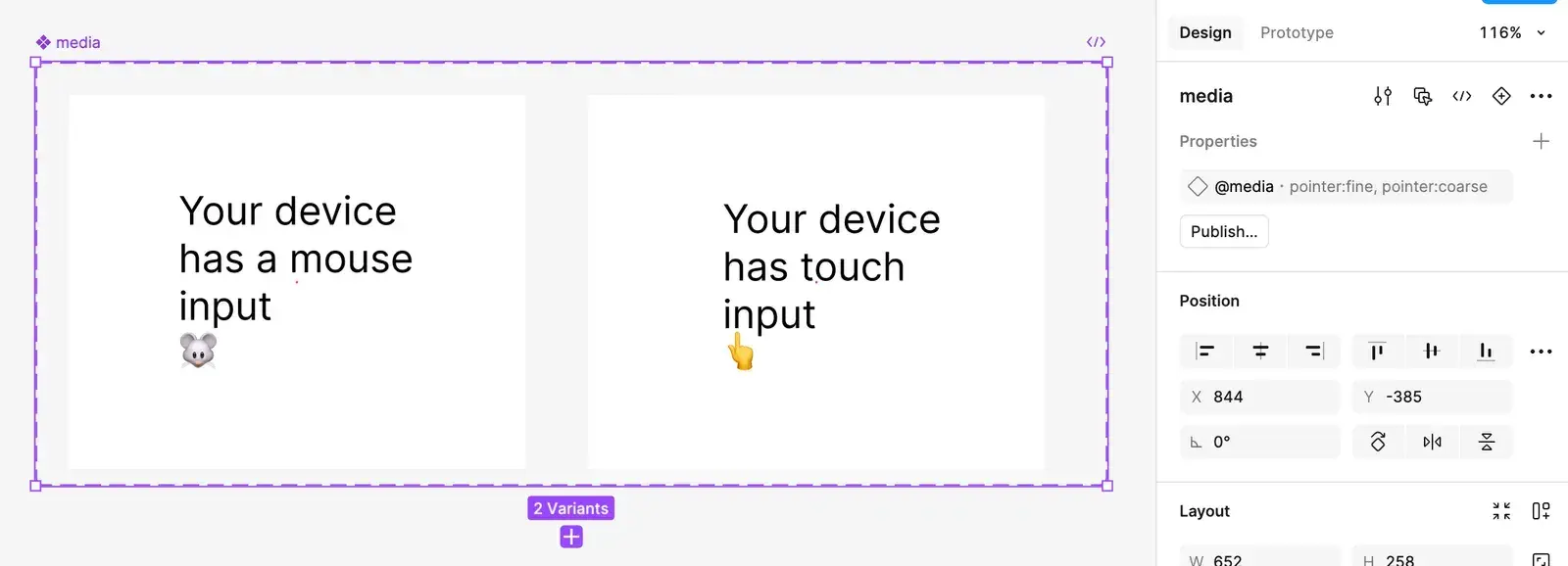
Which values can I use?
Values follow the CSS media queries syntax. For example:
| Value | Matches when |
|---|---|
pointer:fine | The main input is an accurate pointing device, such as a mouse. |
pointer:coarse | The main input is a pointing device of limited accuracy, such as a finger on a touchscreen. |
pointer:none | The main input isn’t a pointing device. |
orientation:portrait | The viewport is portrait: its height is greater than or equal to its width. |
orientation:landscape | The viewport is landscape: its width is greater than its height. |
hover:hover | The main input can conveniently hover over elements. |
hover:none | The main input can’t hover, or not conveniently (many phones emulate hover with a long tap), or there is no main pointing input. |
screen | The site is shown on a screen. |
print | The site is being printed. |
Combine conditions with and, or with a comma for “or”:
(pointer:coarse) and (orientation:portrait): touch input and portrait.(pointer:coarse), (orientation:portrait): touch input or portrait.
Figma doesn’t accept the = character in property values, so a query like width <= 600px won’t work; write width < 601px for the same result. Width-based queries are rarely needed here, though: responsive design has more convenient tools for screen sizes.
See it live: the Device-specific content demo in the Designer’s Guide, a site built with figma.to.website.