
Introducing figma.to.code
-

- Name
- Ardena
- @ardena_gonzalez
After spending years perfecting the HTML to Figma conversion with our plugin and extension html.to.design, we’re thrilled to introduce the technology that now does the reverse - figma.to.code!
What is figma.to.code?
figma.to.code is our latest product that converts Figma frames into HTML in a single step. Copy a frame from Figma, paste it into figma.to.code, and get structured HTML you can drop straight into a codebase, hand to a developer or use as context for AI. No plugin install or export pipeline required.
How does figma.to.code work?
Converting a Figma design to HTML takes three steps:
Step 1: Copy your Figma frame
Step 2: Paste into figma.to.code
Step 3: Copy or download the HTML output
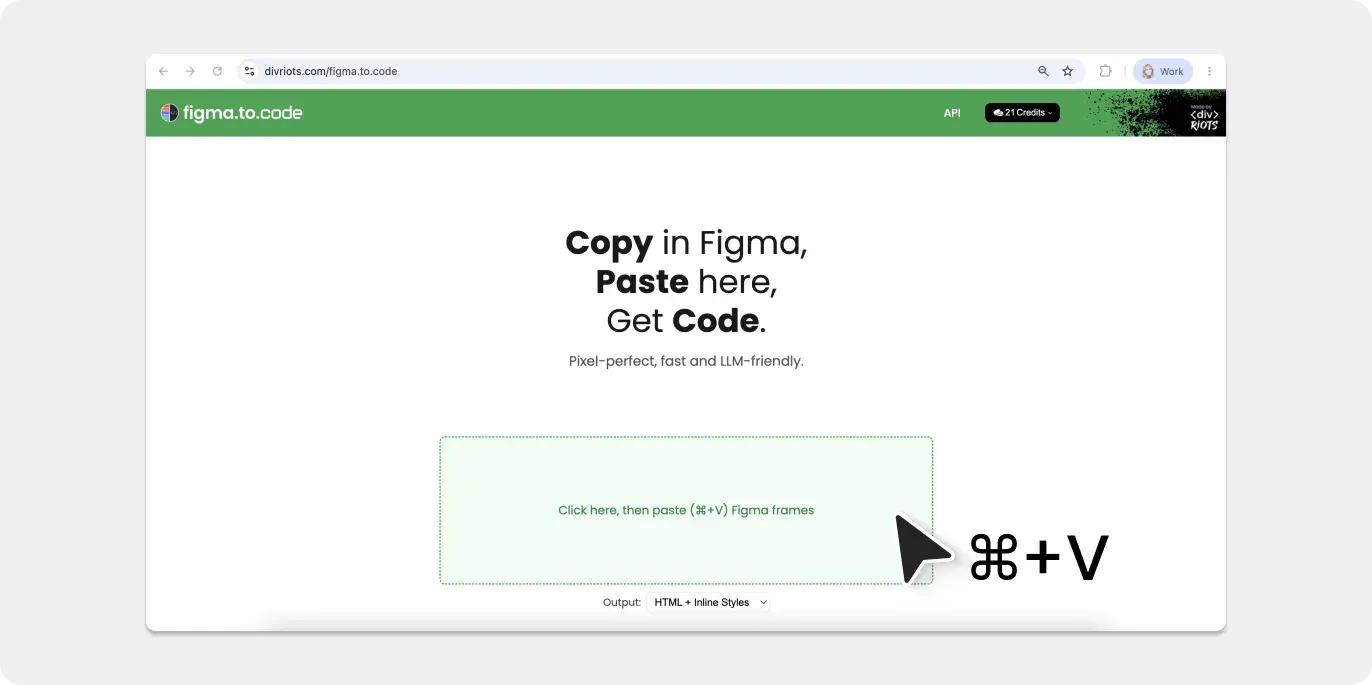
For a full tutorial check out our Figma-to-code guide.
Why use figma.to.code?
Most solutions use AI to generate HTML from Figma, which comes with a few problems like inaccuracy, slow conversion times and high costs.
figma.to.code, on the other hand, offers:
✅ Accuracy: Get the exact HTML and CSS for your Figma designs without the generation or guesswork of AI.
✅ Speed: figma.to.code is blazing fast compared to AI’s slow generation times.
✅ Low cost: Each frame converted to code only costs 1 credit with figma.to.code, vs. lots of tokens when using AI.
Start converting Figma designs to HTML
figma.to.code is now live. Open it in your browser, copy a frame from Figma, paste it in, and get your HTML.
After the success of HTML to Figma with html.to.design, we’re excited to see how figma.to.code can offer a reliable and high-quality way to now go from Figma to code.
If you’re looking to incorporate an “import from Figma” feature in your product, this same functionality is also available in our code.to.design API.
Related guides: