Convert images to HTML right in the browser!
-

- Name
- Ardena
- @ardena_gonzalez
We’ve spent years solving the hardest problems in design tooling — converting anything into editable Figma layers, bridging web code and visual design. Through that work, we built something we’ve never seen done well anywhere else: an engine that can look at an image and produce faithful, structured, production-quality HTML.
Today, we’re making that available to everyone as image.to.design.
What is image.to.design?
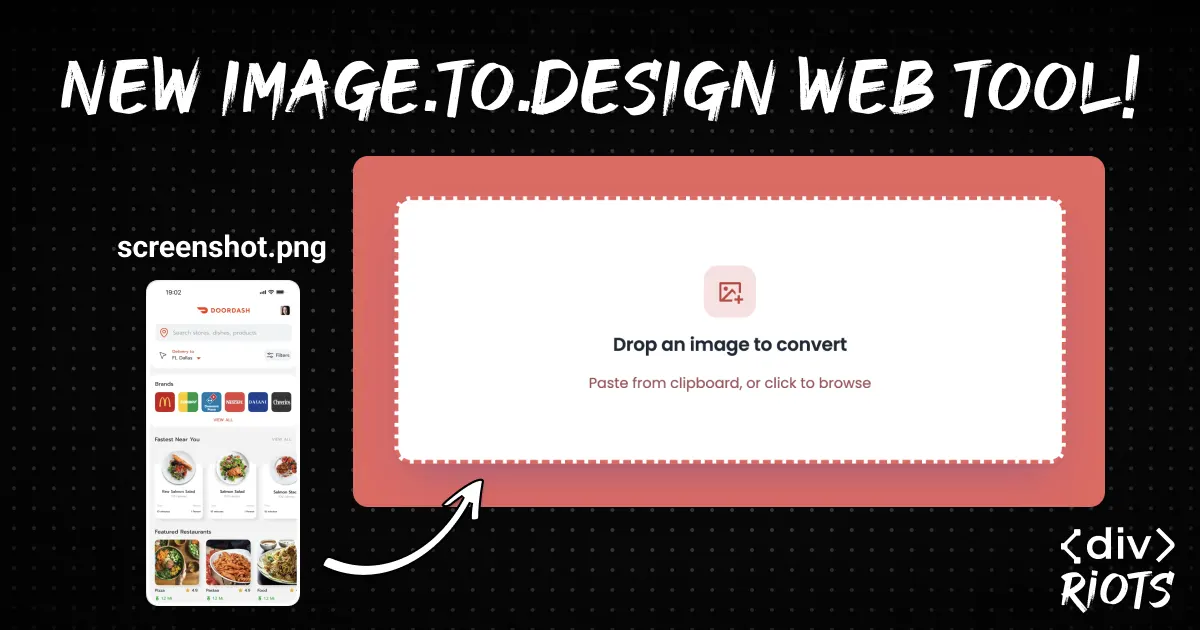
Drop any image into image.to.design and get back clean HTML that faithfully reproduces what you see. A screenshot of a legacy screen. A mockup from a design tool. Whatever you paste in, the tool reconstructs it as real, structured HTML — layout, hierarchy, spacing, and styling included.
No coding. No Figma. No manual layer work. Just an image in, and HTML out.
How to convert an image into HTML - Quick Guide
Going from image to HTML couldn’t be simpler:
Step 1: Drop an image into image.to.design — paste from your clipboard or click to browse
Step 2: Let image.to.design do its magic
Step 3: Download the resulting HTML as a .zip file or directly copy it.
🌟 Option to download as editable Figma designs is coming soon!
Whether you’re turning a screenshot into a starting point for your own design or extracting structure from a UI reference image — image.to.design gets you there instantly.
Why image.to.design is different
You might be wondering: can’t I just paste a screenshot into an LLM and ask for HTML?
You can. But if you’ve tried it, you know what you get: a plausible approximation. The model typically guesses at spacing, fonts and complex layouts, filling in details it couldn’t actually read from the image. For anything beyond the simplest UI, the output needs so much correction that you’d have saved time writing it from scratch.
Our approach is fundamentally different. Rather than generating HTML from a broad impression of what the image looks like, our engine performs a deep structural analysis — identifying the actual visual hierarchy, spatial relationships, typographic patterns, and layout logic. The result isn’t a draft. It’s a reconstruction. We believe it’s the best image-to-HTML conversion available today, and we’re only getting started.
The tradeoff is time: complex images can take several minutes to process. We think that’s a worthwhile exchange for output you can actually use.
The time you get back
Think about how much design and engineering time quietly disappears into manual UI reconstruction:
- Translating a screenshot into editable layers to iterate from
- Converting a wireframe into something buildable
- Recreating a reference design to hand to a developer
None of that work requires skill or creativity. It’s just translation — and it’s the kind of thing that eats hours that should be spent on actual design thinking.
image.to.design does the translation, so you don’t have to.
What’s next: the ‹div›RIOTS’ API
We’re also bringing image-to-HTML conversion to developers through the [‹div›RIOTS’ API](https://divriots.com/api/overview], which will be available very soon.
This means you’ll soon be able to embed the same conversion engine directly into your own product. Build pipelines that programmatically transform images into HTML. Let your users import visual references without ever leaving your application. We’ve been quietly building the most capable design-conversion API ecosystem around — and image-to-HTML is our newest and most ambitious addition to it.
Start converting images now
image.to.design is now live. You’ll get 20 credits to start with if it’s the first time you’re signing up, plus 10 credits per month on the Free plan. Need more? ‹div›RIOTS ONE gives you everything we make under one subscription plus credits you can top-up as you go.
Paste something in. See what comes back. We think you’ll be impressed.
Have feedback or run into a bug? Reach us at [email protected] or join the community on Discord.
Related tools:
- figma.to.code — Convert Figma frames to HTML
- html.to.design — Import websites into Figma
- ai.to.design — Generate Figma designs from prompts