
The html.to.design browser extension reaches 600,000 users!
-

- Name
- Ardena
- @ardena_gonzalez
The html.to.design Chrome extension just crossed 600,000 installs.
That’s 600,000 people who decided to keep a little bridge between the web and Figma pinned to their browser toolbar. We built the extension to solve a specific, everyday friction — getting what you see in a browser into Figma without screenshotting, retracing, or rebuilding from scratch.
Thank you. Genuinely. Every install, every piece of feedback, every bug report, and every time someone shared the extension with their team has shaped what it is today.
What we’ve shipped recently
Reaching this milestone felt like the right moment to look back at what we’ve been building. We’ve shipped two significant updates to the extension in recent months, and if you haven’t tried them yet, here’s what they do:
Copy to clipboard — paste directly into Figma
The original extension workflow required opening the html.to.design Figma plugin to complete an import. That’s fine for a deliberate import session, but it adds steps when you just want to grab something quickly.
The new Copy to clipboard feature cuts the plugin out of the flow. Capture a page with the extension, click Copy to clipboard, switch to Figma, and press ⌘+V. Your design lands on the canvas as editable layers — no plugin window, no extra steps.
It’s the same full conversion: text layers, images, colors, autolayout frames. Just a shorter path to get there.
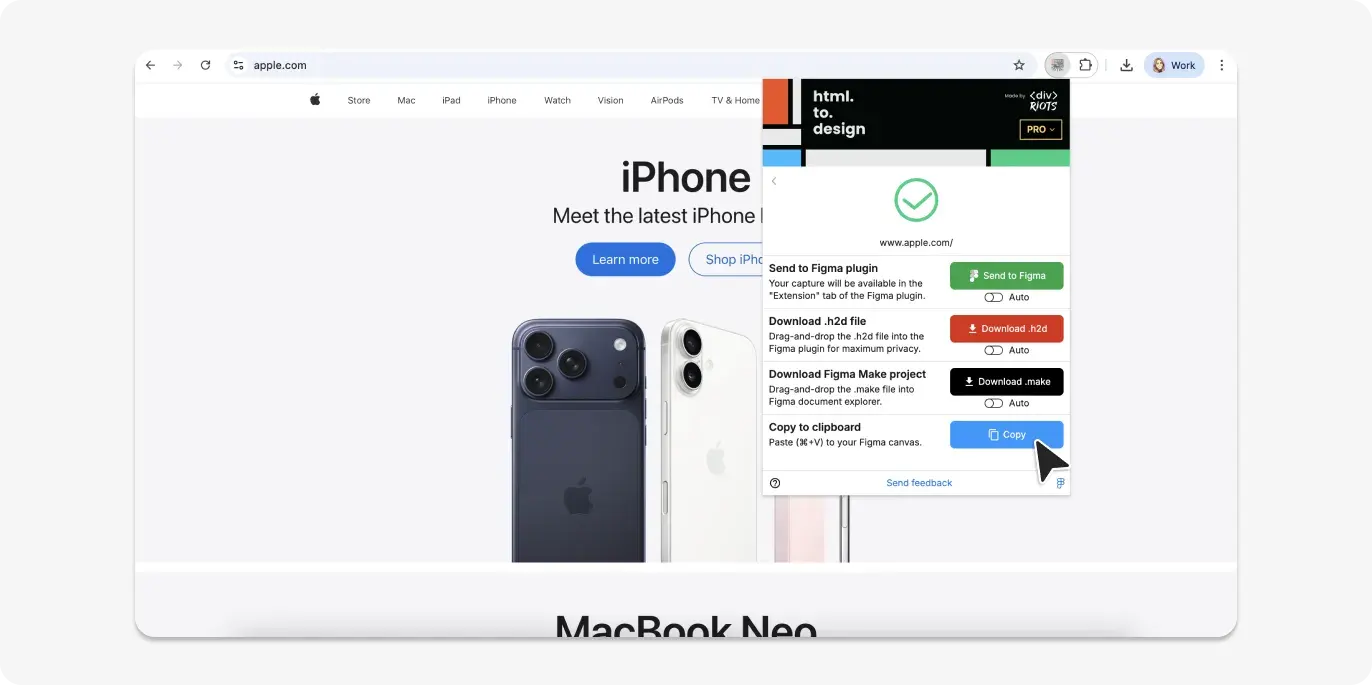
Export as a Figma Make file
The second update adds a new export option alongside clipboard: Download as a Figma .make file.
A .make file is Figma Make’s native format. Capture any live webpage or web app with the extension, download it as .make, drop it into Figma, and it opens directly in Figma Make — fully structured and ready to prototype on, allowing you to start from where your product actually is.
This is especially useful when you’re iterating on a live product and want to prototype new features on top of the real UI, rather than a recreation of it.
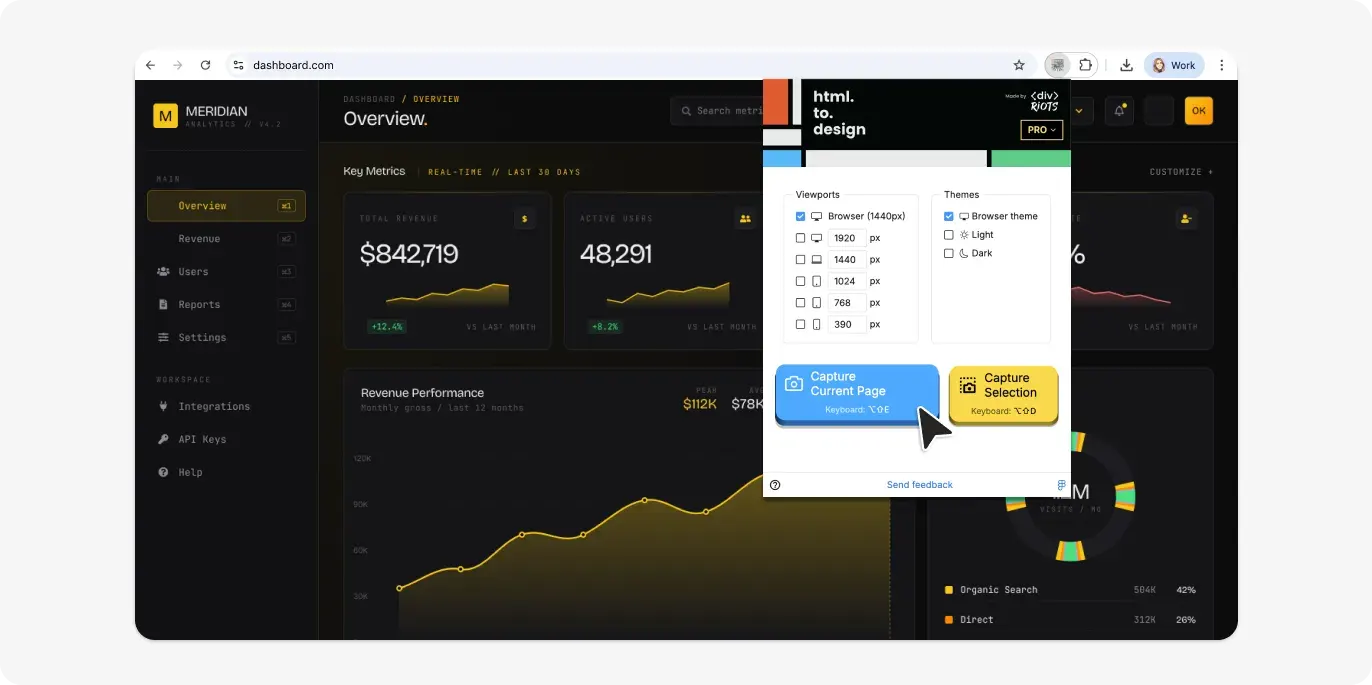
More coming soon!
We’re not stopping here. Several more features are on their way to the extension over the next few weeks. We’ll share details as they ship.
In the meantime, if you haven’t tried the extension, install it from the Chrome Web Store to get both new features above.
And if you’re new here — welcome. The extension is the browser-side companion to the html.to.design Figma plugin, part of our growing suite of products for Figma. Install it, capture any webpage, and watch it land on your canvas as fully editable Figma designs.