
How to import Adobe Fireworks files into Figma
-

- Name
- Gregory
- @GQuinio
You drag checkout.fw.png from a 2014 project folder into Figma and get one flat picture of the first page: no other pages, no layers, no editable text. Figma cannot import Adobe Fireworks documents as editable layers. It reads a .fw.png as an ordinary PNG image and ignores everything Fireworks stored inside it.
The fireworks.to.design web app reads that hidden document and rebuilds it as editable Figma layers: every page, layer, group, mask, text run, vector, bitmap and symbol. You drop the file in your browser, copy the result and paste it into Figma. Nothing to install. This guide shows you how to import Fireworks files into Figma with the web app, the API alternative for whole archives, and exactly what to expect from the conversion.
What is a .fw.png file? Adobe Fireworks saves its native documents in the PNG format, which is why Adobe’s documentation calls them “Fireworks PNG files” and why they are often named
.fw.png. The visible image is a flattened render of the document, so the file opens in any image viewer. The editable document (pages, layers, paths, text and effects) is stored as extra data inside the same PNG file, which Figma and standard image viewers do not read.
Quick guide: import Fireworks files into Figma
- Find the original
.fw.png: the layered file Fireworks saved, not a PNG exported from it. - Open the fireworks.to.design web app and sign in.
- Drop one or more
.fw.pngfiles on the page. - Click Copy to Clipboard and paste into a Figma Design file.
- Edit the result in Figma: real layers, editable text, one frame per page.
Detailed tutorial
Step 1: Find the layered Fireworks file
fireworks.to.design needs the document Fireworks saved: the one that opens in Fireworks with its Pages and Layers panels intact. Two kinds of PNG look identical in Finder or Windows Explorer:
- The layered document (for example
home.fw.png) is what Fireworks writes when you save. This is the file to convert. - An exported PNG is what File › Export produces, or what any other app writes when it re-saves the file. It holds only the flat picture.
You don’t have to tell them apart yourself. fireworks.to.design checks the file when you drop it and tells you if a PNG contains no Fireworks layers. The file name doesn’t matter either: a layered document renamed to home.png is still recognised.
Step 2: Open the fireworks.to.design web app
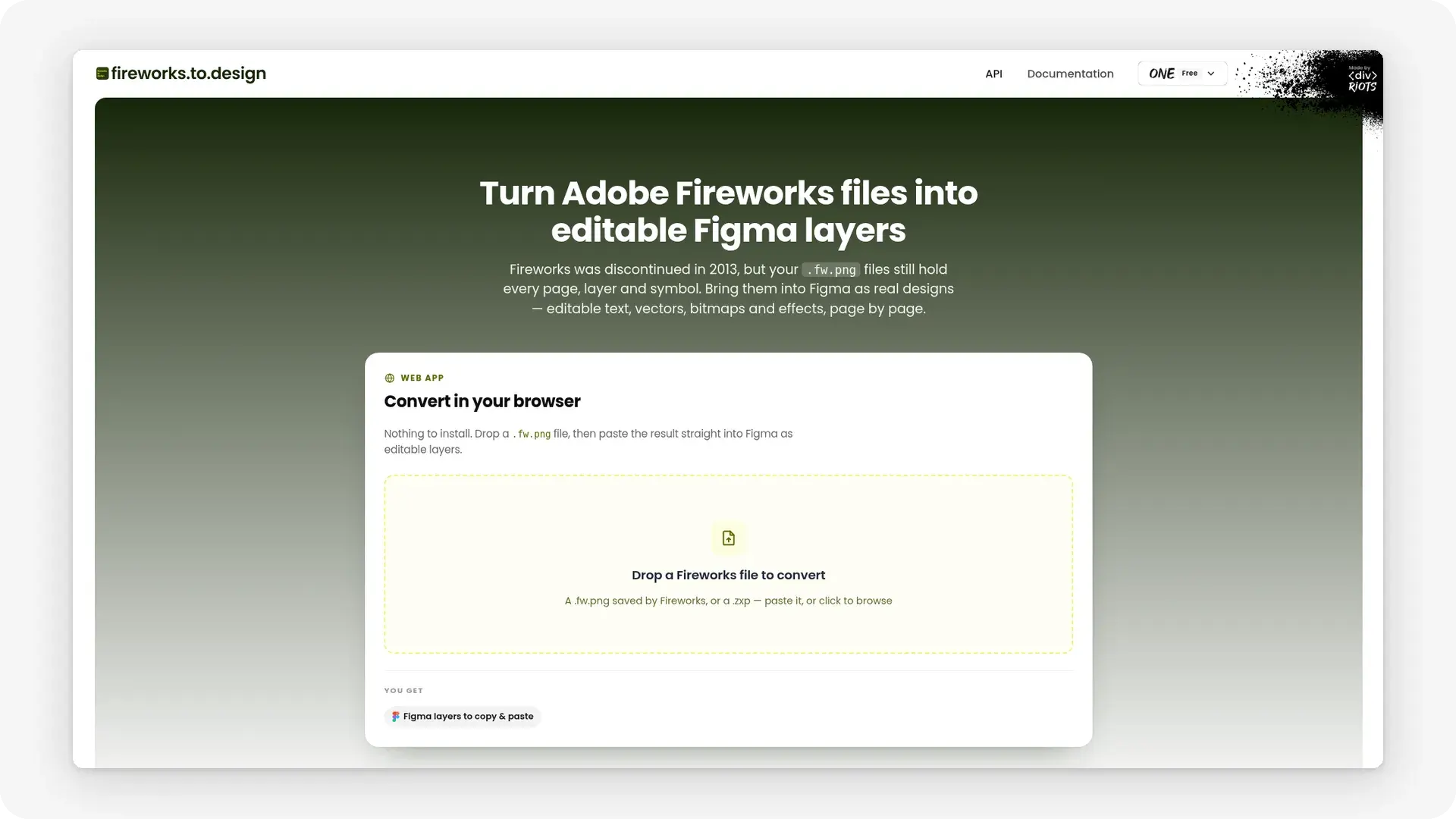
Go to divriots.com/fireworks.to.design in any desktop browser and sign in or create a free account. The free Starter plan needs no credit card.
There is nothing to install and no Figma file to open yet. You only need Figma at the end, when you paste.
Step 3: Drop your .fw.png files
Drag your .fw.png onto the drop area, or click it to browse. A file can be a single screen or a 100-page project. To convert a batch, drop several files at once.
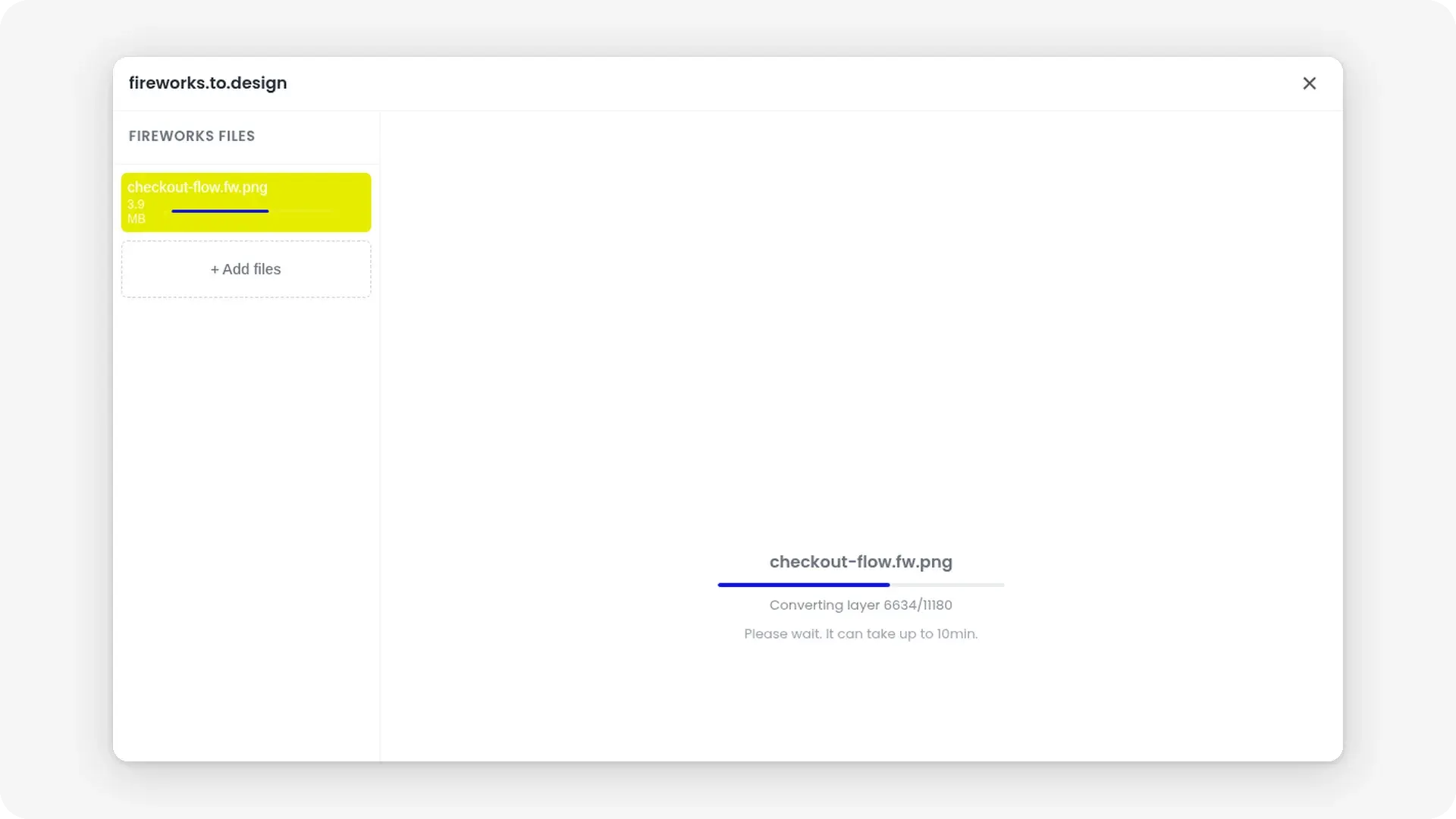
Conversion starts on its own. There is no prompt to write, no page to pick and no setting to tune: the converter reads the document Fireworks stored inside the PNG and rebuilds it as a Figma design.
Step 4: Copy to Clipboard and paste into Figma
Click Copy to Clipboard. Open any Figma Design file, select the page you want the import on, and paste. The converted design lands as editable Figma layers.
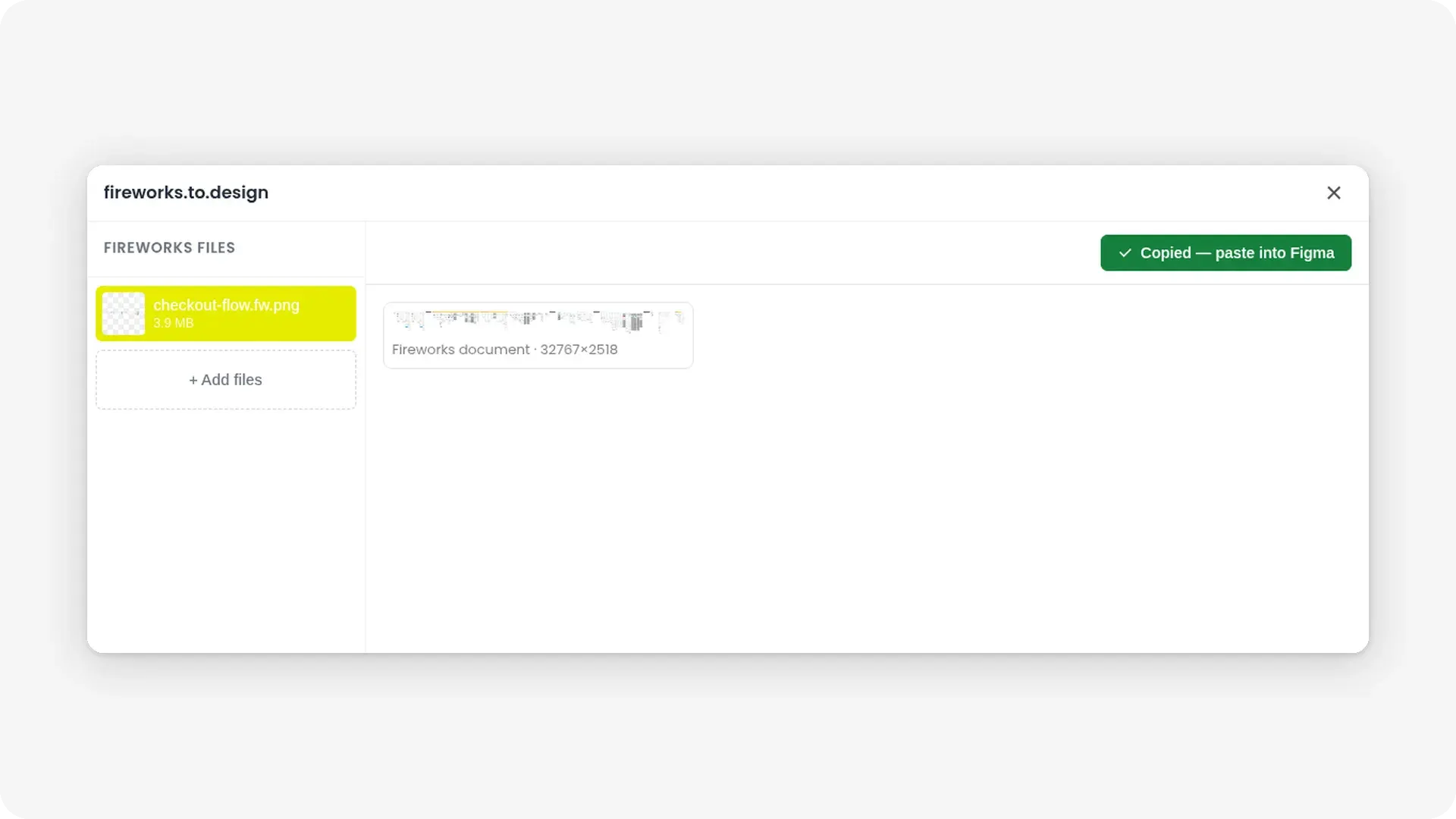
Step 5: Edit the design in Figma
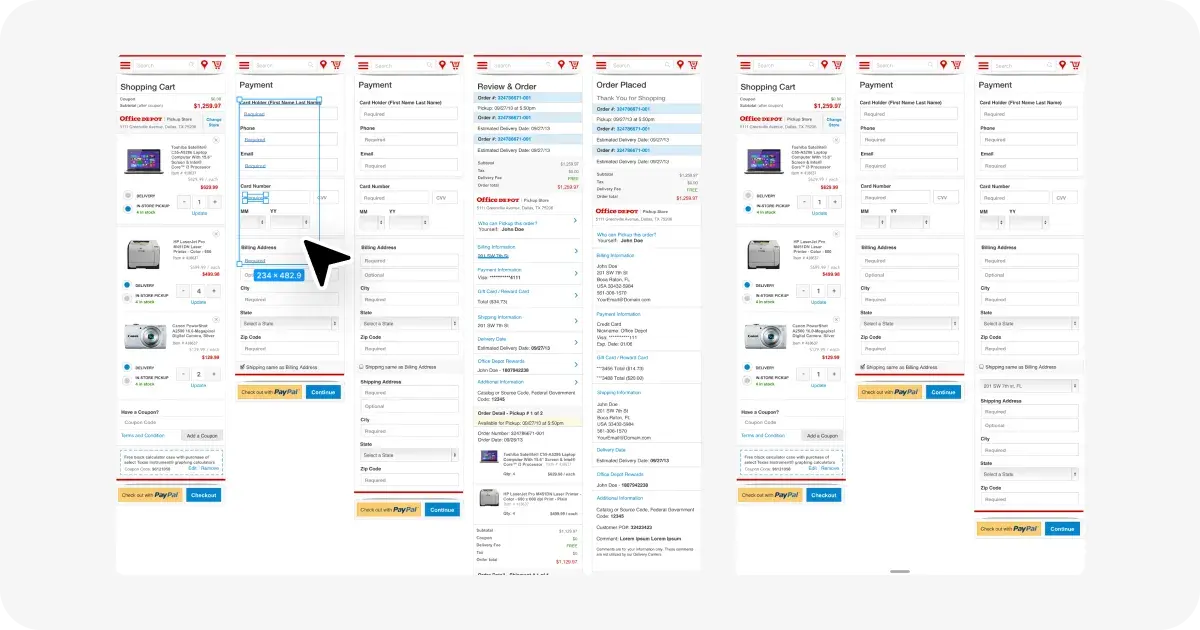
Each Fireworks page lands as a frame at its original canvas size and background, with its layers, groups and masks named as they were in Fireworks. Select, rename and restyle anything. A good first pass on a legacy file is to turn repeated elements such as buttons, headers and form fields into Figma components.
Fireworks designs were often set in fonts of their era: Myriad Pro, Helvetica Neue, Trebuchet MS, Tahoma. On text-heavy pages, check line breaks if one of those fonts isn’t available in your Figma environment: a different typeface has different character widths, so a label that fit on one line in Fireworks can wrap in Figma.
Alternative method: the ‹div›RIOTS API
To convert a whole archive automatically, use the ‹div›RIOTS API, which converts Fireworks documents on a server. Send the file to /convert with the input format fw, an output format such as figma-clipboard or figma-rest, and an optional range of pages. The ‹div›RIOTS API documentation covers authentication and the full reference.
What gets converted
Text
Text comes across as native Figma text, run by run, with its fonts, sizes, colours, leading, tracking, alignment, underline, strikethrough and all caps. Text blocks keep their width and wrap. Single-line labels grow with their content.
Layers, groups, masks and symbols
Every layer, group, mask and symbol comes back as a real, named Figma layer, not a flattened picture. Each Fireworks symbol instance is expanded from the document’s symbol library and placed at its own position and scale.
Vectors and bitmaps
Paths stay editable vectors, with their solid and gradient fills and their strokes. Rectangles import as Figma rectangles, not generic paths. Bitmaps become image fills at their original pixel dimensions, up to Figma’s limit of 4096px per side: a larger bitmap is scaled down.
Effects
Drop shadows, inner shadows, glows, colour fills and Photoshop live effects become native Figma effects and paints, so you edit them in the Figma properties panel. Some Fireworks filters have no Figma equivalent: bevel, emboss, hue/saturation and sharpen. For those, fireworks.to.design imports the render Fireworks itself stored for that layer. We chose this over approximating the effect with Figma settings because the stored render is exact to the pixel. The trade-off is that the result is a picture, not a live effect.
What is not converted
- Layer states. Each layer imports its first state only.
- Slices and hotspots. These live on Fireworks’ Web Layer and are export settings, not artwork, so they are skipped.
- Faux bold and italic. Fireworks’ synthetic bold and italic are not reproduced: the text uses the font’s real bold and italic faces instead.
- Baseline shift. Raised and lowered characters sit on the baseline after import.
The fireworks.to.design documentation lists every supported element and limit.
Benefits
Nothing to install. The web app runs in your browser. You don’t need Fireworks or a desktop converter: drop the file, copy, paste.
Batch conversion in one drop. Drop several .fw.png files at once and each converts in the same browser tab, instead of opening files one by one.
Every page, not just the first one. Dropping a .fw.png straight into Figma gives you a picture of the first page. fireworks.to.design converts every page in the document, each as its own frame, so a multi-page Fireworks file becomes a multi-frame Figma design in one paste.
Editable text instead of pixels. Every text run stays live, with its original font, size and spacing. You edit copy directly instead of retyping labels on top of a screenshot.
One conversion replaces a full rebuild. Rebuilding a Fireworks page by hand means redrawing every shape, retyping every label and re-cutting every bitmap. The web app reduces that to dropping a file, copying and pasting.
Flat, predictable pricing. A web app conversion costs 2 credits whatever the file’s size or number of pages, so a 100-page project costs the same as a single screen. The free Starter plan includes five imports, covering the first three pages of each file.
No Fireworks licence needed. Adobe announced in May 2013 that it would add no new features to Fireworks and did not bring it to Creative Cloud as a new version. fireworks.to.design reads the files without it.
Use cases
- Rescuing a design archive. Drop a folder’s worth of
.fw.pngfiles from old projects into the web app and turn them into Figma designs your team can open and edit today, without keeping an old Fireworks installation alive. - Taking over a legacy product. A client hands over a site designed in Fireworks. Convert it and continue in Figma instead of rebuilding from screenshots.
- Redesigning from the original. Bring old pages in as editable layers and redesign on top of the real typography and assets rather than a flat picture.
- Consolidating tools. The same family of importers covers Adobe XD files, Photoshop files with psd.to.design and Illustrator files with illustrator.to.design, so you move a mixed Adobe archive into one Figma workspace. See the full guides on converting PSD files to Figma and migrating from Illustrator to Figma.
Conclusion
Figma reads a .fw.png as a flat image of its first page, but the full Fireworks document is still inside the file. The fireworks.to.design web app extracts it and rebuilds every page as editable Figma layers, with live text, vectors, symbols and native effects. You get your Fireworks work back without Fireworks and without installing anything. For the full list of supported elements, limits and conversion details, read the fireworks.to.design documentation.
Drop your first .fw.png in fireworks.to.design and paste the result into Figma. For other file types, browse the full range of import tools at ‹div›RIOTS.